
Current limitations
- The user interface and public support documents are currently available in English only.
- All sites in one workspace use one workspace time zone. Per-site time zones are not supported.
- Changing the workspace time zone can change historical display grouping and schedule interpretation, but it does not rewrite canonical evidence timestamps, files, or hashes.
- Windows 11 x64 is the only certified customer desktop platform for v1.0.3.
- PatrolSafe does not provide cloud backup or multi-workstation synchronisation.
- Uninstall preserves customer data and is not a secure-erasure process.
- PatrolSafe does not automatically delete evidence according to a retention schedule.
- A replacement-workstation restore requires licence recovery and WhatsApp relinking.
- Live monitoring depends on internet access, a current supported Microsoft Edge installation, and WhatsApp Web availability.
Interface note
At a 1366 × 768 display size, the lower Settings and user area can require normal sidebar scrolling. This does not prevent access to those controls.
Trial expiry and connection state
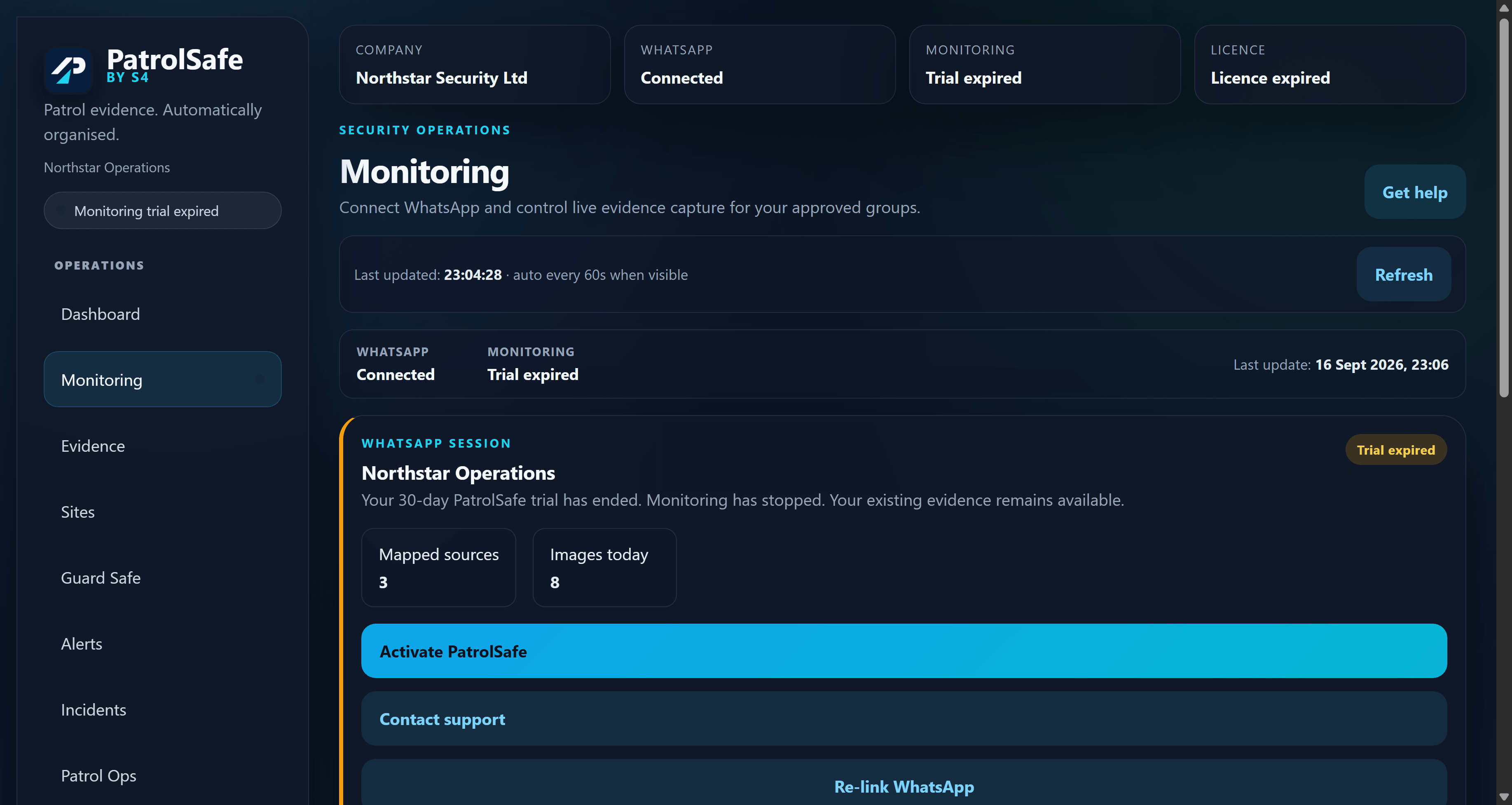
Trial expiry stops monitoring; it does not by itself disconnect the authorised WhatsApp account. Check the WhatsApp and Monitoring states separately before troubleshooting the connection.
Operational boundary
PatrolSafe is an evidence-organisation tool. It is not an emergency service, alarm receiving centre, or substitute for operational supervision. Some compatibility filenames and local application paths can retain the earlier “Patrol Evidence Platform” name; support may refer to these paths when helping locate data.
Report an issue
Contact support@sfour.co.uk for product help or security@sfour.co.uk for a security concern. Contact support before sending diagnostics and never email evidence, backups, databases, passwords, or WhatsApp session material.