
What a workspace backup can include
- The operational database and evidence files.
- Workspace configuration, including the selected time zone.
- A manifest used to verify the backup contents.
- Same-workstation connection or machine-bound licence material where present.
Keep the backup folder and its contents together. Moving or editing individual files can invalidate recovery.
Create and protect a backup
- Open Settings → Backup in PatrolSafe.
- Choose a protected destination with enough space for the workspace and evidence.
- Create the backup and wait for PatrolSafe to report completion.
- Keep the generated folder intact and restrict access to authorised people.
- Maintain an additional protected copy appropriate to your organisation's recovery plan.
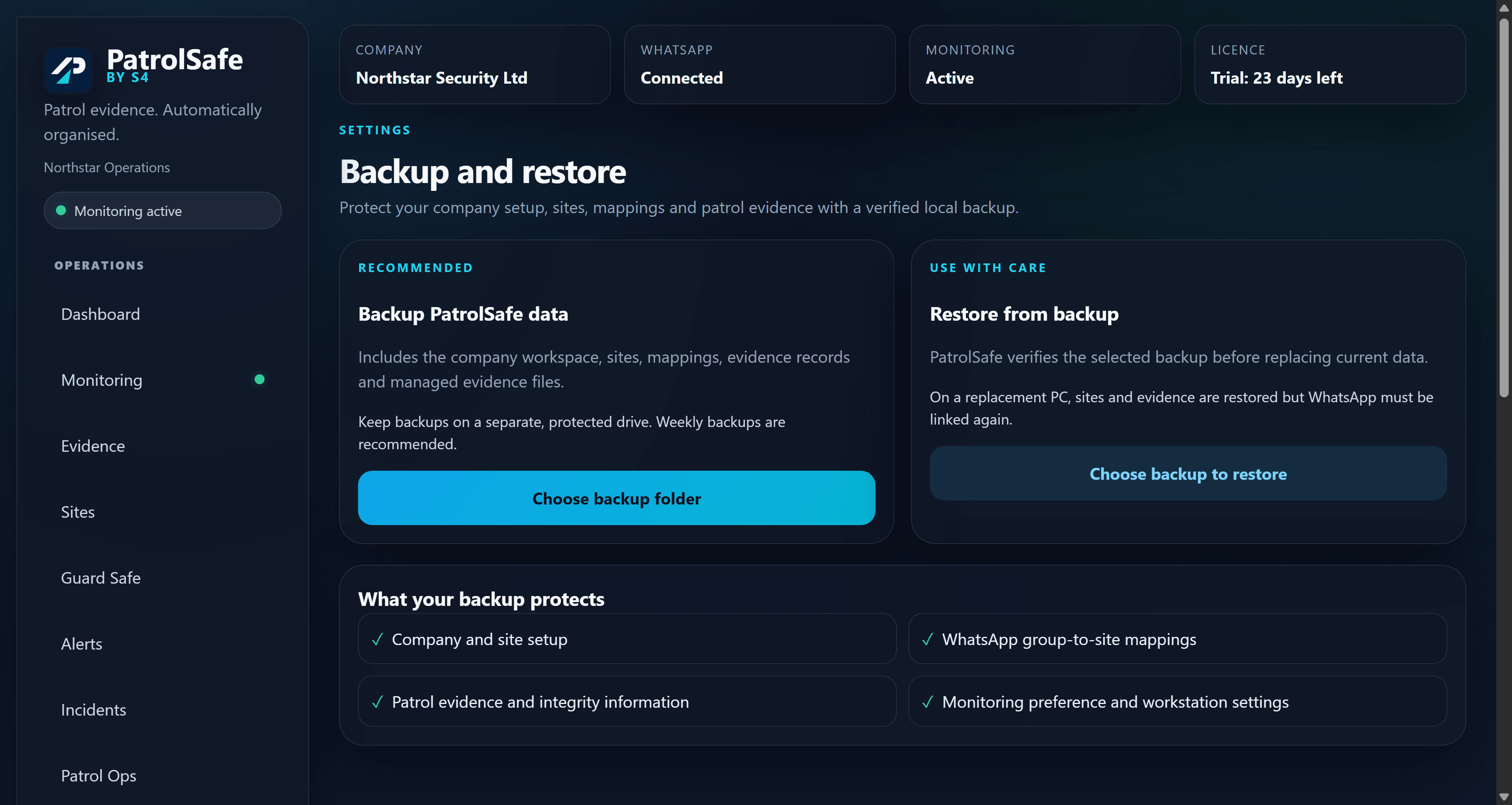
Restore a workspace
Restore replaces the current workspace
Preserve the current data before continuing. PatrolSafe validates and stages the selected backup, then creates a rollback snapshot before the confirmed replacement. Read the in-application warning fully.
- Pause monitoring and close other activity that could change the workspace.
- Create a current backup before restoring an older one.
- Select the complete backup folder in Settings → Backup.
- Review the validation result and replacement warning.
- Confirm the restore only when you are certain the selected backup is correct.
- After restart, verify the workspace time zone, sites, mappings, evidence, connection, and monitoring state.
Restoring to another workstation
A replacement workstation can require licence recovery and WhatsApp relinking. Keep monitoring paused until the workspace, site mappings, connection, and evidence location have been checked. Contact support@sfour.co.uk before moving a live workspace.
Uninstall is not secure erasure
Uninstalling PatrolSafe preserves customer data. If data must be removed, follow your organisation's approved retention and secure-erasure process for the workstation, evidence location, and backup copies. See privacy and data handling for the current public information.