
Before you begin
PatrolSafe v1.0.3 is certified for Windows 11 x64. It also requires current supported microsoft edge, reliable internet access for WhatsApp Web, and an eligible authorised account with linked-device capability.
Use the controlled download
The signed release is available free through the S4 downloads page. No payment card is required. Confirm the version, publisher, and checksum before opening the installer, then use the 30-day trial. The downloads page is the source of truth for activation status.
Setup sequence
- 01
Obtain the authorised release
Use the S4 downloads page to request the verified release free by email. No payment card is required. Do not obtain the installer from an unverified third-party source.
- 02
Verify the installer
Confirm the SHA-256 checksum and check that Windows reports a valid digital signature from Vesoft Services Limited.
- 03
Run the signed installer
Open the Windows installer without disabling Microsoft Defender, SmartScreen, or other device protections.
- 04
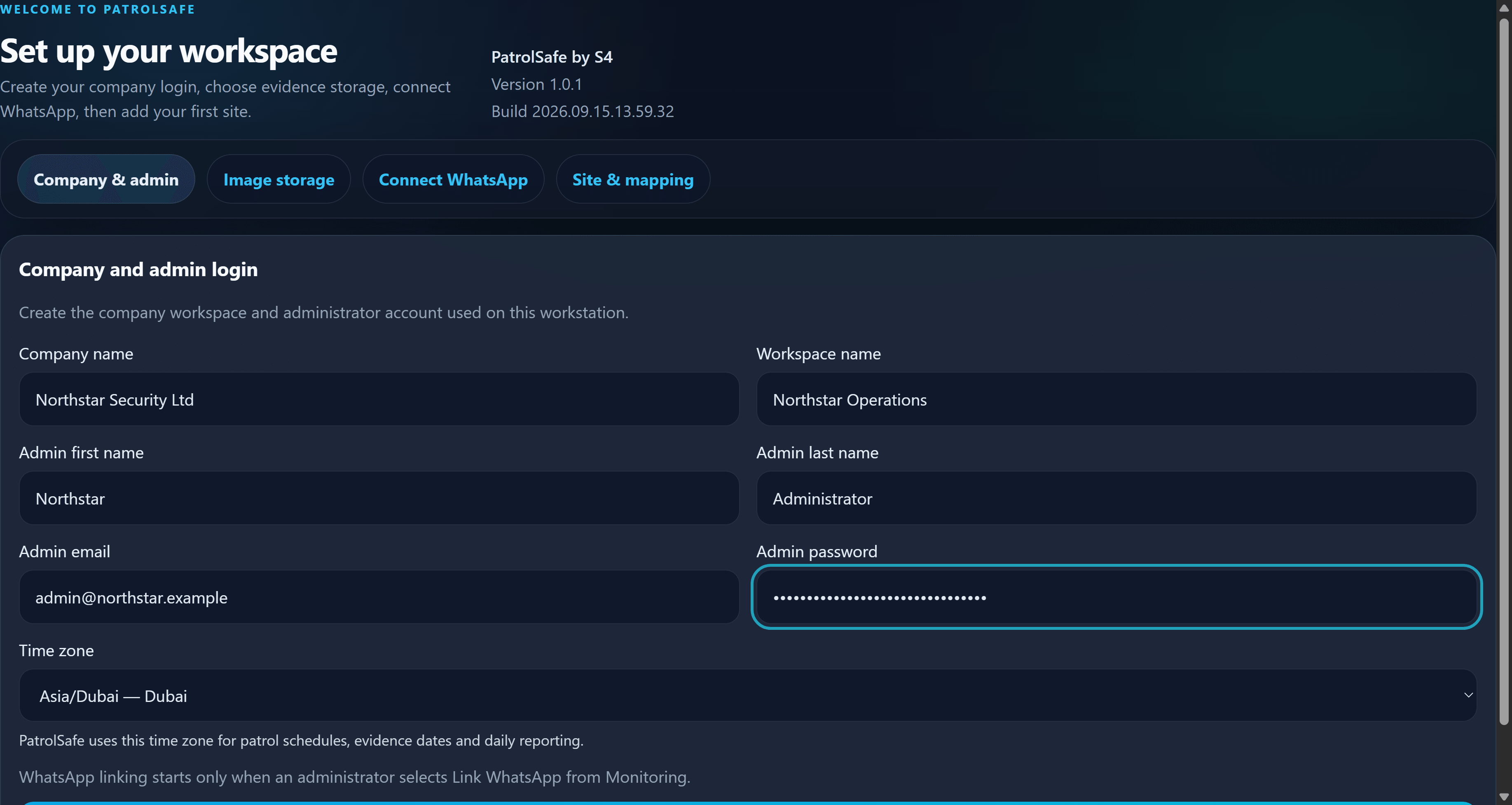
Create the workspace
Enter the workspace details, review the workspace time zone, create the administrator credentials, and choose protected evidence storage.
- 05
Connect an authorised account
Use the WhatsApp linked-device flow for an eligible account and wait for PatrolSafe to report the connection state.
- 06
Create sites
Add the sites that will receive organised patrol evidence and confirm their details before mapping groups.
- 07
Map approved groups
Select only approved groups, associate each one with the correct site, and review every mapping.
- 08
Start and check monitoring
Start monitoring, confirm that connection and monitoring states are healthy, then use approved test content to check the evidence flow.
Complete a safe first check
Use content created specifically for the setup check. Confirm that the item appears under the intended site with the expected date, time, and source context. Do not use personal or live customer evidence for an initial test unless your organisation has approved it.
Once the workspace is working, create a backup and store it in protected, access-controlled storage. Continue with the user guide or the backup and restore guide.